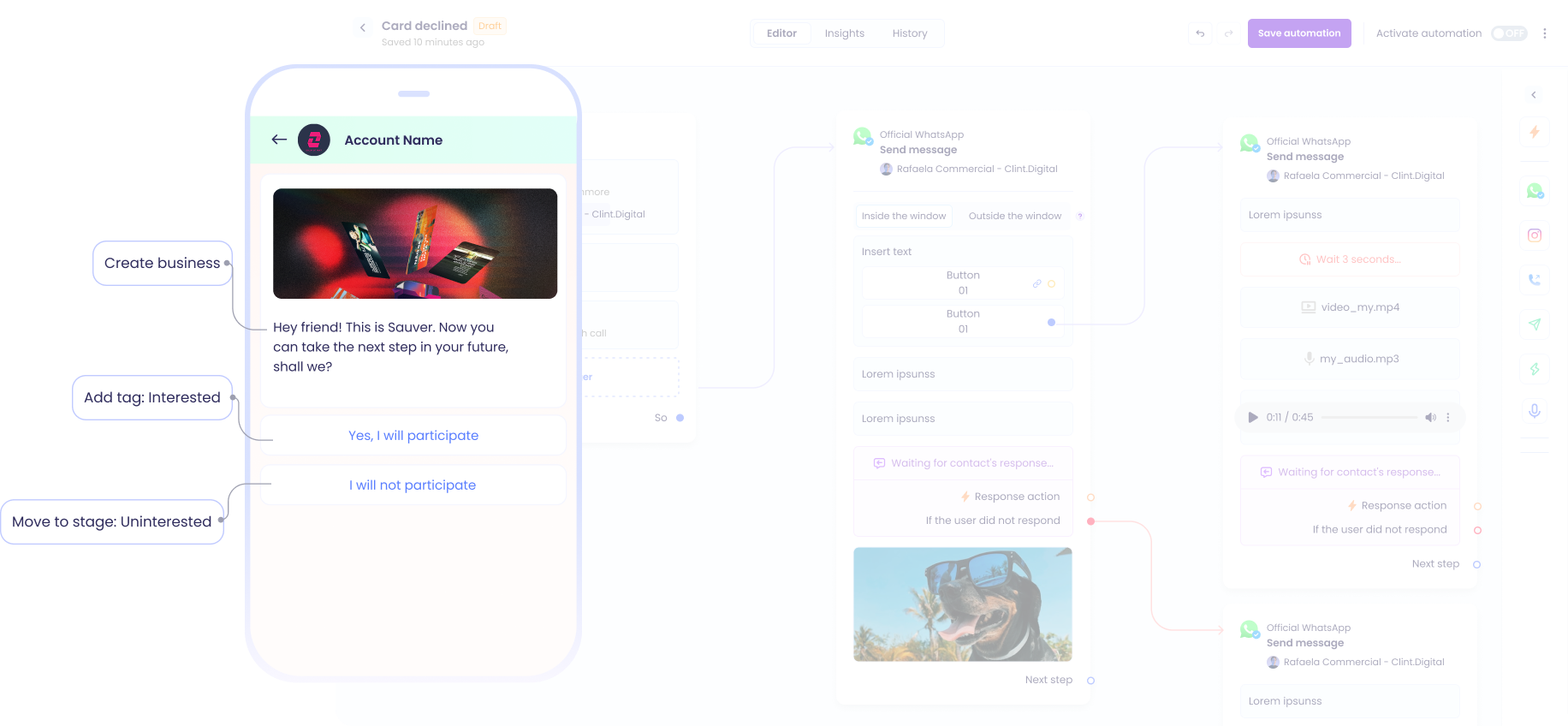
As soon as the lead downloads material or converts it into a capture page and enters your database, Clint triggers a personalized response on WhatsApp.
The same thing happens if he sends you a message on WhatsApp. Then he gets a return, It doesn't matter if it's dawn or a holiday.
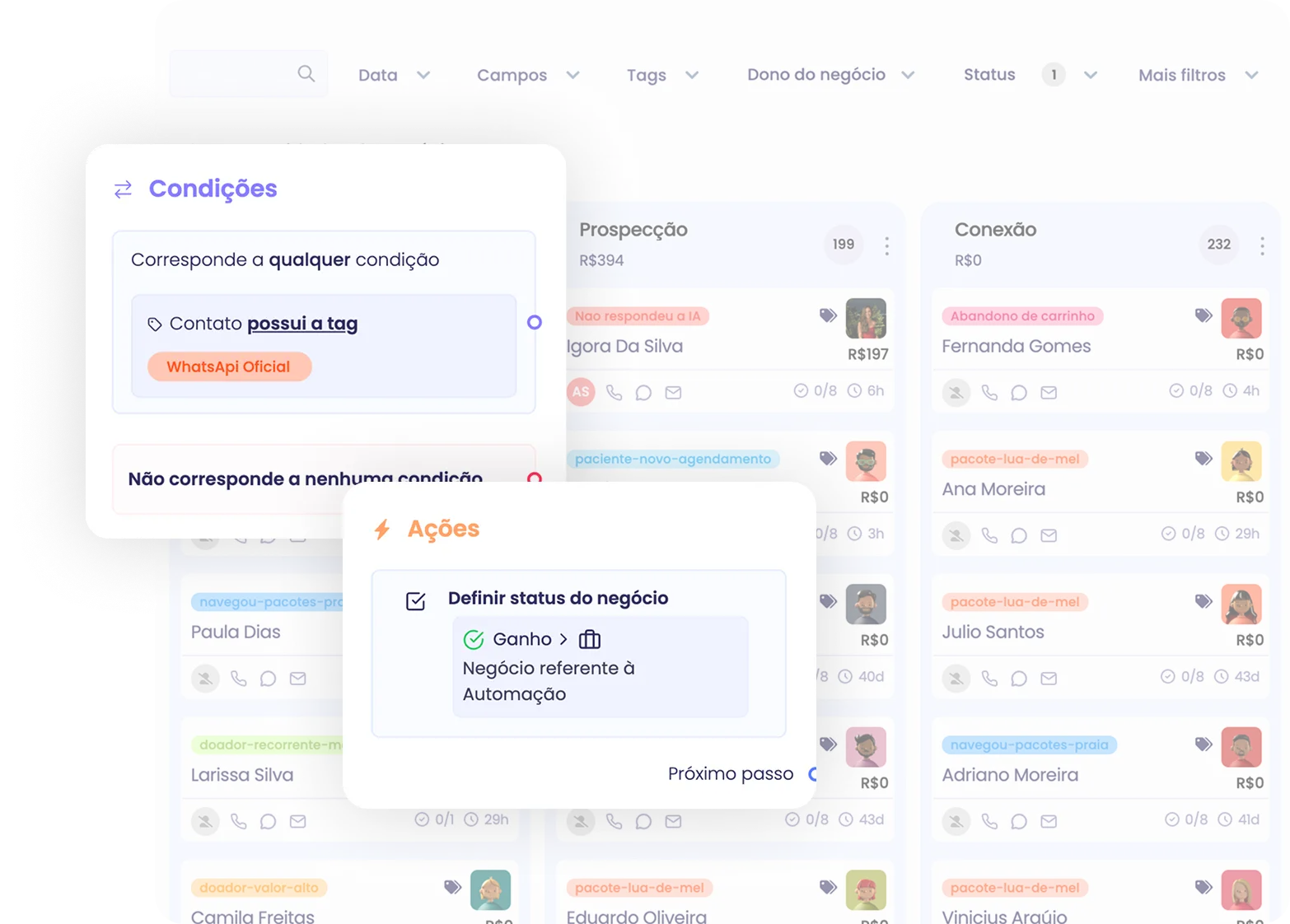
Update the status of your deals by yourself
As the customer progresses through the funnel, the status of the deal automatically advances. Your pipeline is always organized, without you having to mess with anything.
Everything connected to your CRM
Everything that happens in automation appears in the CRM business, simple and integrated. Every detail appears in the right deal, keeping your information always organized and updated.
Your CRM at the center of everything, every time.
Actual flows
Whatever you need is on the automatic
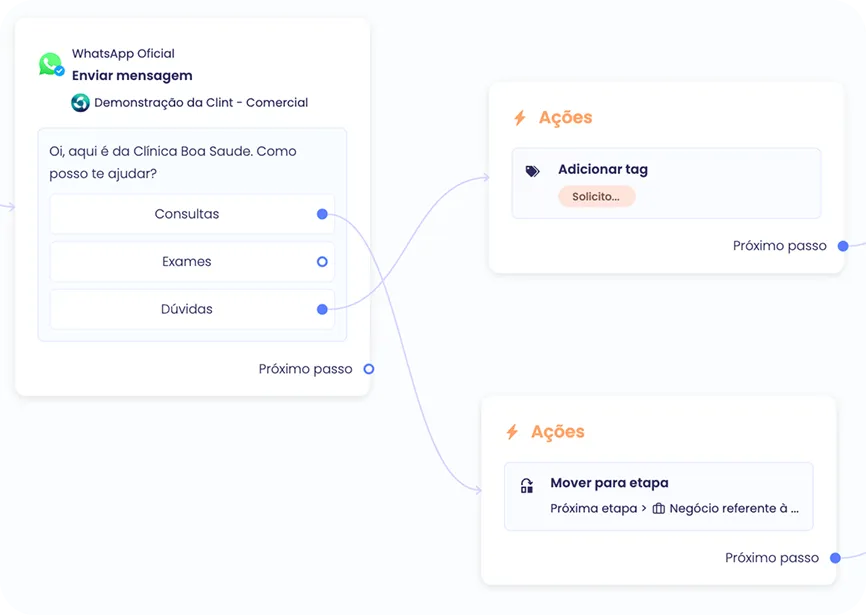
With a drag-and-drop interface and clear logic, even those who have never programmed can create robust automations in minutes.
You create your flows like someone who builds blocks.
1
Choose the trigger (message or source of the deal)
2
Add blocks with messages, actions, and conditions
3
Define what happens in each scenario
Schedules, sales, appointments. Automate any process in moments
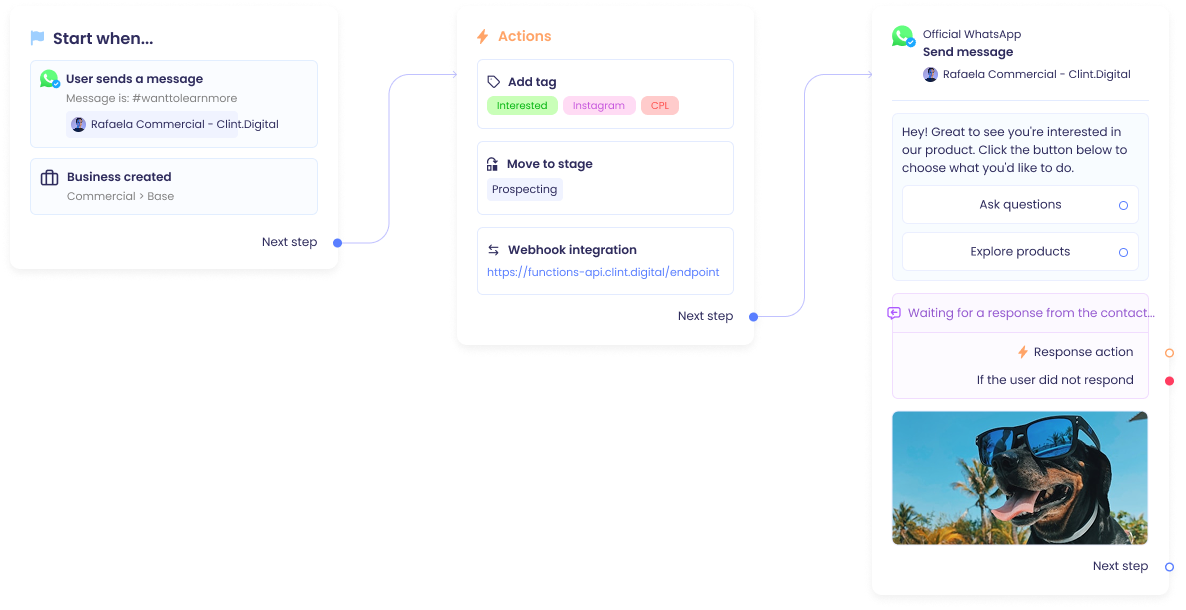
It's a tool that allows you to configure automatic message and action flows within your sales operation. You define a trigger, such as entering a lead in the funnel or sending a message on WhatsApp, and Clint performs what you would do manually: send a message, create a deal, move steps, save data... all without you having to intervene.
What is automation for in practice?
It serves to scale your service and accelerate sales. You automate operational tasks and ensure that each lead receives the right contact, at the right time, with context, without human effort, and with real speed.
Do I need to know how to program to use?
No way. The module is 100% in code, designed for those who sell, not for those who program. You assemble flows with clicks, drag visual blocks, choose actions, define what happens, and that's it. In minutes, it's up and running.
What triggers can I use to start an automation?
You can start a flow with two types of triggers:
- When the lead sends a message on WhatsApp (such as “Hi”, “I want to know more” or any defined word)
- When a deal enters a specific origin or stage of its funnel
What type of actions can I automate?
You can, for example:
- Send message with text, image, audio, or button - Create a deal automatically - Add tags to the contact - Move the business from one step - Update status (won, lost, etc.) - Save data from the lead's response on WhatsApp - Trigger a webhook for another tool
Can I personalize the messages?
Yes. Messages can have variables (such as lead name, product name, value, etc.), media, buttons, and forms. Everything designed so that your communication is fast, personalized and with more conversion.
Does it work with the official WhatsApp API?
Yes. Clint is directly integrated with the official Meta API. You can use approved template messages or free messages within the 24-hour conversation window.
How many automations can I create?
There are no practical limits. You can configure as many flows as necessary to cover different origins, steps, products, behaviors, and interactions of your operation.
Do I need to abandon my current tools?
No. On the contrary. You can use webhooks to integrate with what already works in your operation, in addition to connecting Clint to payment tools, calendar, email, forms, and more.
How soon can I get my automation up and running?
In a matter of minutes. You don't need a programmer or technical support. The module is simple, straightforward and ready to run.